
Linux Kernel 5.4 Released, This is What’s New

The new Linux 5.4 kernel brings a raft of notable changes and improvements to the fore, just like every kernel release does.

Linux 5.5 is now open for development, but Linus cautions that Thanksgiving (and his 3 kids) may slow him down

Linux Founder Linus Torvalds announced the Linux 5.4 release on the Linux Kernel Mailing List (lkml) saying: “Not a lot happened this last week, which is just how I like it.”

With 5.4 out the merge window for Linux 5.5 is now open. But Linus cautions that the American tradition of Thanksgiving may get in the way.

But what are the changes in this latest kernel update? Read on for a summary of key Linux 5.4 features and changes.

Lees verder

Ubuntu 19.04 Disco Dingo

Een nieuwe Ubuntu-versie is als een soort moesson: elk half jaar is er weer een, met om de twee jaar een long term support-versie. De actieve volgers van de halfjaarlijkse Ubuntu-cyclus kunnen zonder al te veel ingewikkeldheid genieten van recente ontwikkelingen in de Linux-(kernel)wereld, waar misschien wel een optimalisatie is doorgevoerd voor een nieuw type videokaart of een ander stuk recente hardware. Voor serverparken en andere omgevingen waar stabiliteit de eis is, is zo’n halfjaarlijkse ’tussenversie’ niet praktisch, al is de stabiliteit over het algemeen zo groot dat er bij normaal desktopgebruik weinig verrassingen te verwachten zijn, behalve voor gebruikers van 32bit-chipsets: er komt geen 32bit-variant van het besturingssysteem.

Ubuntu 19.04 wallpaper
Wallpaper uit Ubuntu 19.04
Lees verder

Linux Kernel 4.20 Released By Linus Torvalds Just In Time For Christmas

New features in Linux Kernel 4.20

Here are the major new features added by the 350,000 new lines of code in the Linux kernel 4.20. As you can see the changes are mainly around improving support for Graphics, CPUs and other hardware.

linux-kernel-4-9

The release also removes the controversial Speck algorithm.

  • AMD Picasso & Raven 2 APU support.
  • The AMD Vega 20 7nm workstation GPU support is ready for the graphics card release.
  • VCN JPEG acceleration for Raven Ridge APUs in conjunction with Mesa 18.3 user-space code.
  • GPUVM performance improvements for the AMDGPU kernel driver.
  • Continued work on the Intel Icelake “Gen 11” graphics support.
  • Full PPGTT support for Haswell/Ivy/Valley View hardware.
  • Initial HDMI 2.0 support for the open source NVIDIA Nouveau driver and initial display support for NVIDIA Xavier “Tegra194” SoC.
  • Virtual KMS (VKMS) has the initial cursor and GEM support.
  • Qualcomm Snapdragon 835 SoC support.
  • Linux x86/x86_64 optimizations.
  • Early work on AMD Zen 2 CPU enablement
  • Many other DRM changes.
  • Removes NSA’s Speck crypto algorithm from the Kernel.
  • Continued fixings for the Year 2038 problem
  • USB drivers updates

You can see the detailed list of Linux Kernel 4.20 features at Phoronix.

KDE Neon Now Based on Ubuntu 18.04 ‘Bionic Beaver’

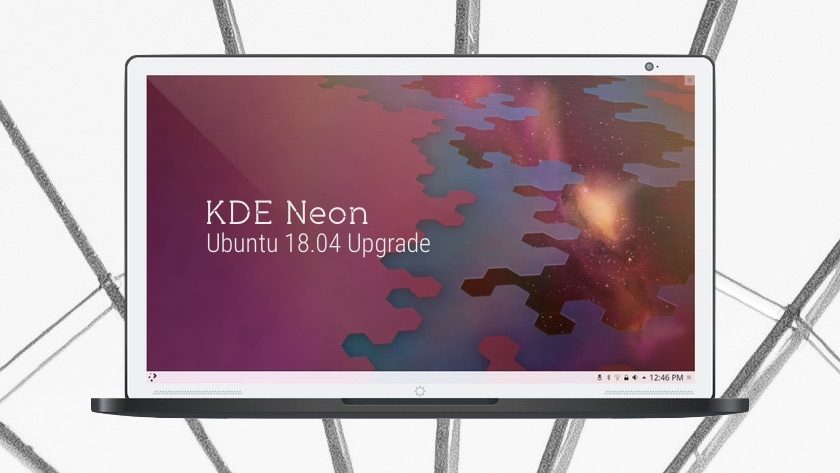
The wait is over: the KDE Ubuntu 18.04 release is finally here.

Developers behind the KDE-centric Linux distro¹ have announced that they’ve successfully rebased KDE Neon on Ubuntu 18.04 LTS ‘Bionic Beaver’, which was released earlier this year.

With the bump to Bionic KDE Neon users unlock access to newer packages, third-party tools, and hardware drivers. They also benefit from a more recent Linux kernel.

upgrade kde neon to 18.04

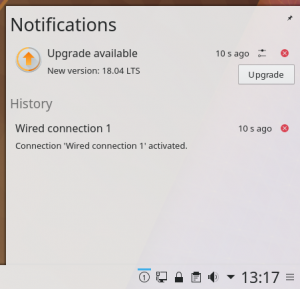
KDE Neon 18.04 Upgrade Prompt

Naturally the latest stable KDE Plasma desktop and associated apps are installed by default, with future stable releases pushed out to users as and when they’re available.

This LTS to LTS migration has been in the works since the Ubuntu 18.04 release back in April, and has been undergoing wider testing for several months.

Swapping out the foundation of a distro isn’t an overnight task, and is made harder by the mix of LTS and non-LTS software stacks involved.

But with some hardwork and elbow grease neon devs have pulled it off.

They now plan to put “more developer effort” into using Snap packages, which offer the potential for more frequent third-party app updates than otherwise provided to an LTS release. Lees verder

Can’t resize GTK 3 windows by clicking in the border KDE KUbuntu KDE Neon

I think that the problem is in the file /usr/share/themes/Breeze/gtk-3.20/gtk3.css and gtk-dark.css, or the theme you use.

  .solid-csd decoration {
    border-radius: 0;
    margin: 0;
    padding: 0px;
    border: none;
    background-color: #556068;
    box-shadow: none; }

If I change “margin: 2; , Remmina and Tilix have borders again,